11question types, including one where you find the mistake
10kinds of block a study session is built from
37%fewer output tokens on simple jobs, with the same result
0accounts and servers. Your work stays on your Mac
Starts with what you remember.
Most study tools begin by explaining. Maben Study begins by asking. You write or say everything you know about a topic first. Then it explains only what you missed.
Explains only what you missed
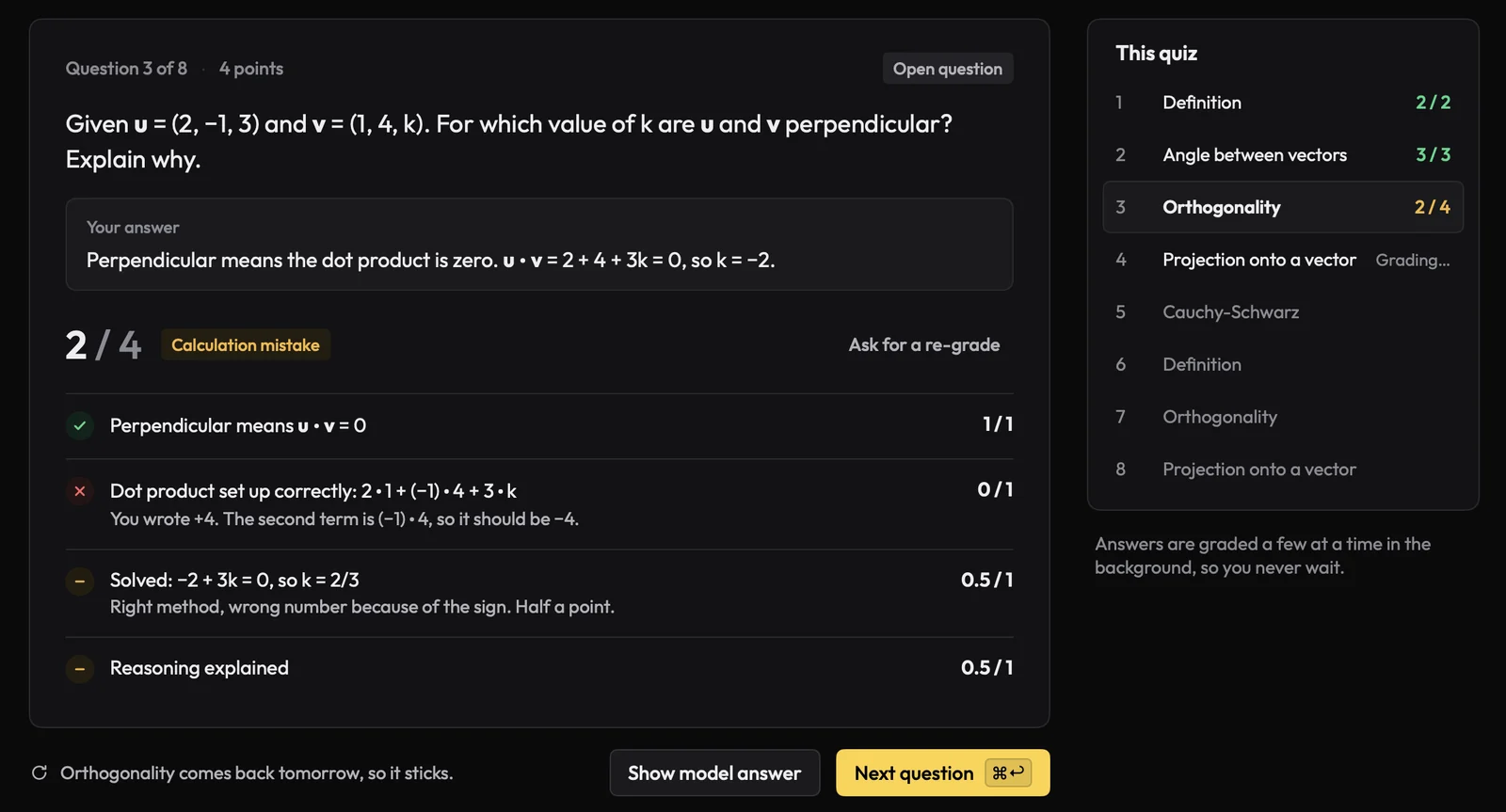
Grades open answers against the marking scheme
A comment on every point
Reads your course once.
Drop in whole folders. Text, OCR and transcription run on your Mac. The AI reads each file once and builds a map of topics, concepts, key points and flashcards you can edit. After that it works from the map, not the files.
PDFs and scanned pages
Slides and Word files
Photos of the whiteboard
Lecture recordings
A plan that keeps up with you.
Add each test with its date, weight and format, and the minutes you have each day. The plan is rebuilt from where you are every morning. Miss a day and its work spreads over the days that are left, instead of piling up the night before.
Exam weeks share your time by how close and how weak
A practice exam in the last three days, and light exam days
A grade forecast for every test
In your calendar, with a daily reminder
Linear Algebra · Final examin 6 days
Date
Thu 12 Nov, 09:00
Weight
70%
Mastery
52%
Grade forecast
5.6 pass 5.5
Fri
Sat
Sun
Mon
Tue
Wed
Thu
7 h 57 min planned this weekExam day stays light
Sessions that fit your day.
Tell it how long you have and how much energy you've got. It builds the session from ten kinds of block, from recall and worked problems to tutor chat and breaks.
Eleven question types, including find the mistake
Timed practice exams in your exam's format
A separate cram profile the night before
Light on your AI bill.
Bring a key from the provider you already use, or run a free local model. A paid key can have a monthly limit.
AnthropicClaude models
OpenAIGPT models
OpenRouter, GroqMistral and DeepSeek too
Ollama, LM StudioFree, on your Mac
What it does to keep costs down
Your files
Read on your Mac, so turning PDFs, scans and recordings into text costs nothing.
Grading
Open answers are graded together in one call instead of one call each.
Models
Each job goes to the cheapest model that's good enough for it, learned from your own results.
Caching
The shared part of every prompt in a session is read from cache, at about a tenth of the price.
Effort
Simple jobs ask the model to think less. Measured on a recall check, that cut output tokens by 37% with the same result.
Everything stays on your Mac.
Your course, your answers and your grades are yours. Only the text an AI feature needs goes to the provider you chose.
No account
There's no Maben account and no Maben server. Your files, notes and grades live in a database on your Mac.
Keys in the Keychain
API keys are kept in the macOS Keychain, and a paid key can have a monthly limit.
Local if you like
Turn on local models for material, and your course files never leave the Mac.
Try it before your next test.
Signed and notarized by Apple, so it opens like any other app. Needs macOS 26 or later.